InsightsNo-code web applications
No-Code Web Apps: What You Can Build with Webflow in 2026
From membership sites to client portals and interactive tools — the growing class of business applications that can be built in Webflow without traditional development.
29 December 202525 min read
Direct answer
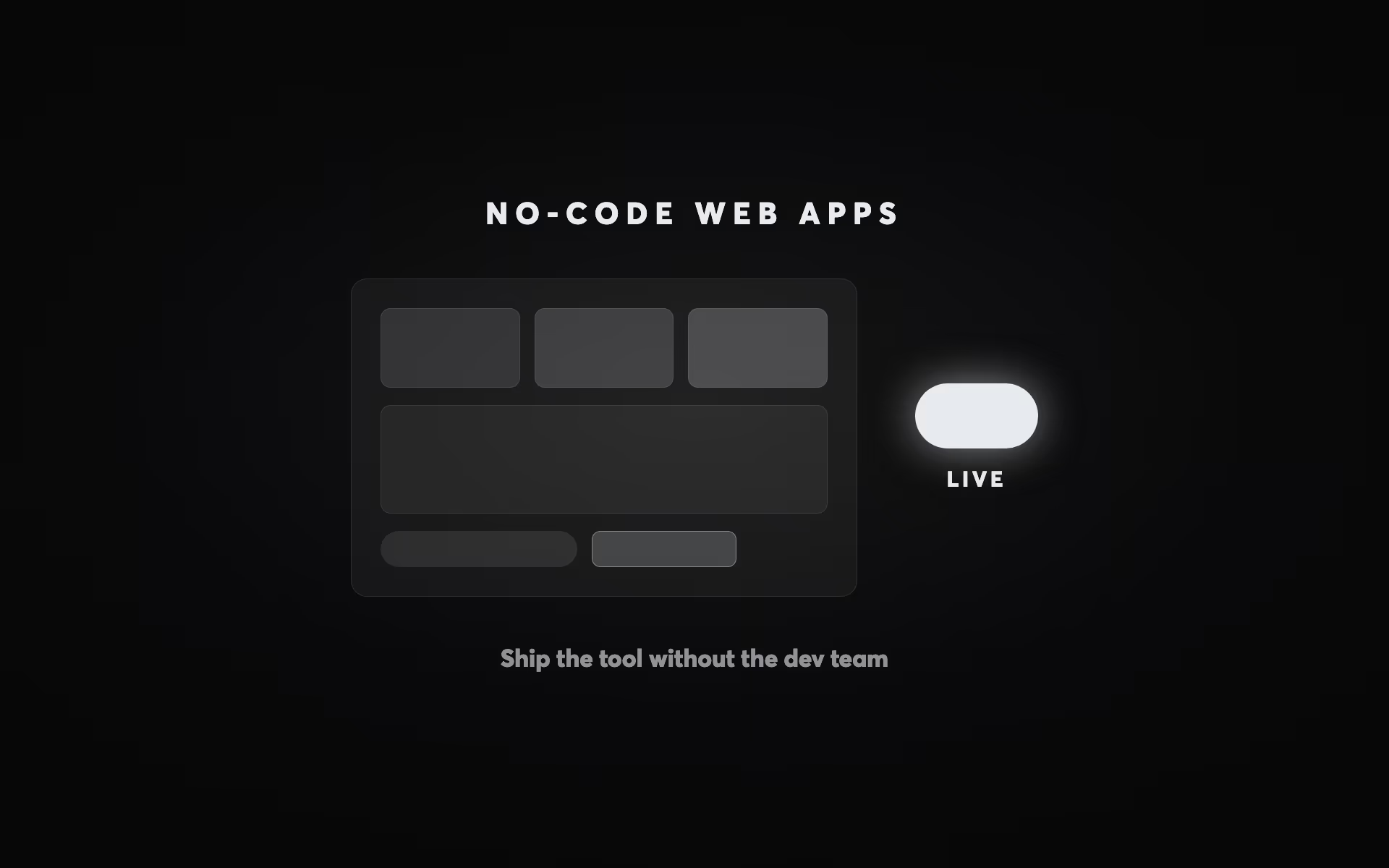
No-code web applications built in Webflow include membership sites, client portals, interactive calculators, booking systems, and directory sites — all achievable without traditional software development. Webflow combined with tools like Memberstack, Outseta, and Jetboost delivers complex, data-driven applications at 30–50% lower build cost than equivalent custom development, per Involve Digital benchmarks. In 2026, the boundary between website and web application is largely irrelevant in Webflow — the critical question is whether required functionality falls within no-code constraints before defaulting to custom code. The highest-ROI no-code applications for service businesses are client portals and interactive lead generation tools: both improve client experience while generating measurable business value. — Involve Digital, no-code web application specialists
No-Code Web Apps: What You Can Build with Webflow in 2026
In 2026, Webflow is no longer just a website builder. For a growing class of business applications, a $15,000–$40,000 Webflow build is replacing a $150,000+ custom development project — delivering the same functional outcome at a fraction of the cost and in a quarter of the time. The no-code/low-code development market reached $45.24 billion in 2026, growing at 27.1% annually, and Gartner projects that 65% of all application development will use no-code or low-code platforms by the end of the year. Understanding where Webflow sits in this landscape — what it can and can't do — is essential intelligence for any business considering an application build.
This article is part of Involve Digital's complete website design and build guide. It's specifically written for business owners and decision-makers evaluating whether their application concept is buildable in Webflow, and what combination of tools makes that possible. We cover the full landscape: what Webflow handles natively, what requires third-party integration, where the ceiling is, and how to assess your project's feasibility before briefing an agency.
The No-Code Shift: Why This Matters Now
Five years ago, the line between "website" and "web application" was largely defined by whether backend logic and a database were involved. If you needed user authentication, data storage, or complex workflows, you needed developers. For most businesses, that meant $100,000+ projects, six-month timelines, and ongoing maintenance costs that made most application ideas commercially non-viable.
That line has moved dramatically. The maturation of the no-code tool ecosystem — specifically the combination of Webflow (visual frontend), Memberstack (authentication and membership), Xano (no-code backend and database), Wized (dynamic data binding for Webflow), and Zapier/Make (workflow automation) — means that applications requiring $100,000–$500,000 in traditional development can be built for $15,000–$60,000 with the right stack.
The cost savings are structural, not cosmetic. Traditional custom development requires: a backend developer to architect the database and build APIs, a frontend developer to build the UI, a DevOps engineer to manage hosting and deployment infrastructure, and ongoing maintenance for security patches and dependencies. No-code platforms abstract each of these layers into managed services — no-code platforms reduce development costs by 40–60% while speeding time-to-market by 10x, according to Noloco's analysis of comparable projects.
The tradeoffs are real and important to understand: no-code solutions have a feature ceiling (highly custom logic, complex data relationships, and performance-critical applications eventually hit platform limitations), create vendor dependency (your application depends on the continued operation and pricing of multiple third-party services), and are less suitable for applications requiring custom security compliance or enterprise-grade scalability. These limitations are explored in detail later in this article.
For most business applications — a membership site, a client portal, a booking system, a directory, an interactive calculator tool, an internal dashboard — the limitations are either irrelevant or manageable with a thoughtfully designed architecture. The economic case for no-code is compelling, and understanding it before briefing a developer is the first step to getting an accurate scope.
Webflow's Native Capabilities in 2026
Webflow's core value proposition is a visual design environment that generates production-quality HTML, CSS, and JavaScript without code. In 2026, Webflow powers over 500,000 live websites and holds 1.2% CMS market share — the fastest-growing segment of its category, with 66% revenue growth in 2024.
The platform's native capabilities that are relevant to web application builds include:
CMS (Content Management System): Webflow's CMS allows dynamic content to be structured, stored, and displayed without a separate database for typical content volumes. Collections can contain up to 10,000 items per collection (expanded from 2,000 in earlier versions), with multiple fields per item and rich relationships between collections. For blogs, product catalogues, team directories, case study libraries, and similar content-driven applications, Webflow CMS is entirely sufficient. For applications requiring larger data volumes, dynamic user-generated content, or complex relational data, an external database (Xano, Airtable) connected via API is the standard solution.
Forms and submissions: Webflow's native form handling captures form data and triggers email notifications, with webhook support for routing data to external services. For most lead capture and contact form use cases, native Webflow forms are sufficient. For complex multi-step forms, conditional logic, or forms that write to a database, third-party solutions (Typeform, Jotform, or custom JavaScript with Xano APIs) provide more capability.
Interactions and animations: Webflow's interactions engine creates sophisticated scroll-based animations, hover effects, and page transitions without JavaScript. These capabilities are relevant for application interfaces that require engaging UI states — loading animations, toggle states, expandable content sections — that would require custom JavaScript in a traditional build.
Custom code integration: Webflow allows custom HTML, CSS, and JavaScript to be embedded at page level or site level, either in the `
`, ``, or within specific page sections. This is the primary mechanism through which third-party tools (Memberstack, Wized, Xano APIs) integrate with a Webflow site — injecting their JavaScript and connecting their services to the Webflow frontend.Webflow's App Marketplace in 2026 has matured significantly, with official integrations for Memberstack, Xano, Google Sheets, Zapier, and dozens of other tools providing streamlined, OAuth-authenticated connections that previously required manual JavaScript implementation. This reduces integration setup time from hours to minutes for common tool combinations.
The Application Types Webflow Can Build
The following categories of web applications are now routinely built on Webflow + integration stacks by professional agencies. Understanding each category — its stack, its appropriate use cases, and its limitations — helps you evaluate whether your project concept is suitable for a Webflow build.
Membership Sites and Gated Content Platforms
Membership sites are among the most common Webflow application builds in 2026. The use case: a website where certain pages, content sections, or features are accessible only to registered and potentially paying members. Examples include course libraries, resource hubs, professional community platforms, subscription content, and research databases.
The standard stack: Webflow (frontend design and CMS content) + Memberstack (user authentication, membership plans, and content gating) + Stripe (payment processing for paid membership tiers) + Zapier or Make (automating member onboarding workflows, CRM updates, email sequences).
Memberstack is the most widely used authentication layer for Webflow in 2026. It handles user sign-up, login, password management, session tokens, and membership plan management through an attribute-based system that integrates with Webflow's visual editor — content is gated by adding Webflow element attributes that Memberstack's JavaScript interprets. Paid plans start at $25/month with a 4% transaction fee on membership payments.
Important 2026 update: Webflow discontinued its native User Accounts feature in January 2026, making third-party authentication tools like Memberstack the required solution for any Webflow site needing user login functionality. The Webflow Help Center officially recommends Memberstack as the primary replacement. This architectural change has actually improved the flexibility of Webflow membership builds, as Memberstack offers more advanced permission control than Webflow's native implementation did.
The capability ceiling for Webflow + Memberstack membership sites is approximately: 1,000–5,000 members with standard content gating. Beyond this scale, performance considerations and Webflow CMS record limits may require architectural evolution — typically adding Xano as a backend database for member-specific data and dynamic content. For most NZ businesses building membership platforms, the Webflow + Memberstack stack is entirely sufficient for initial launch and can scale with the business before requiring infrastructure changes.
Client Portals and Agency Dashboards
Client portals — private, branded spaces where service businesses share project updates, deliverables, files, invoices, and communications with their clients — are one of the most commercially impactful Webflow application types for professional services firms.
The standard stack for a content-based client portal: Webflow (frontend design) + Memberstack (client authentication, with each client assigned a unique membership plan or folder) + Webflow CMS (for populating client-specific pages with project updates and resources) + a file storage solution (Google Drive links, Uploadcare, or AWS S3 for larger file sharing).
The Webflow folder structure for client portals typically works as follows: each client gets a dedicated Webflow folder (e.g., `/portal/client-name/`) containing their specific pages. Memberstack gating rules restrict access to each folder to only the member plan assigned to that client. The client logs in, sees only their pages, and can access their project deliverables, reports, and status updates without seeing any other client's data.
For more sophisticated client portals requiring two-way communication, file upload by clients, task management, and billing functionality, a dedicated client portal platform (like Assembly) integrated with the Webflow site is more appropriate than a pure Webflow build. The dividing line is typically: if clients are consuming pre-prepared content, Webflow + Memberstack suffices. If clients are actively collaborating, uploading, and communicating, a dedicated portal platform alongside the Webflow marketing site is more appropriate.
The business case for a custom Webflow client portal over an off-the-shelf portal platform (like Monday.com or Notion-based portals) is primarily brand alignment and user experience: a custom-designed portal in your visual identity with your specific content structure and UX creates a significantly more professional impression than a generic SaaS dashboard. For professional services businesses where client perception directly influences retention and referrals, this brand premium justifies the build cost.
Directory Sites and Searchable Databases
Directory sites — searchable listings of businesses, professionals, properties, or any categorised entities — are a natural fit for Webflow CMS builds. The CMS provides the structured data storage; Webflow's filtering capabilities (enhanced with Finsweet's Attributes library for client-side filtering without page reloads) provide the search and filter interface; and the Webflow visual editor provides full design control over listing cards and detail pages.
Suitable directory use cases for Webflow: Business directories (up to 10,000 listings), professional service provider directories, property listing databases (with MLS integration via Zapier), event directories, job boards (with form-based job submission), supplier catalogues, and product databases for B2B businesses.
The key limitation is Webflow CMS's 10,000 record limit per collection. For directories approaching this limit, Xano as the backend database (with Webflow as the display layer) is the standard architectural upgrade, and one that can be implemented without rebuilding the frontend design. The Finsweet Attributes library — a free JavaScript library that adds advanced CMS filtering, load more, pagination, and search to Webflow sites — is the essential companion tool for directory builds and dramatically reduces the complexity and cost of implementing search functionality.
Booking and Scheduling Systems
Booking and scheduling systems represent one of the most commercially valuable Webflow application types for service businesses. The ability to allow clients to self-schedule appointments, consultations, or services without manual back-and-forth email dramatically improves conversion rates and reduces operational overhead.
For straightforward booking use cases (one service type, standard calendar, Stripe payment for deposits), embedding Calendly or Acuity Scheduling in a Webflow page is the most cost-effective solution — no custom development required, and the embedded calendar inherits the page's branding reasonably well.
For more complex booking requirements — multiple resource types, custom availability logic, group bookings, dynamic pricing, or integration with a custom CRM — a dedicated booking platform (Simplybook.me, Bookeo) embedded in or connected to the Webflow site provides the necessary functionality without custom backend development.
For fully custom booking experiences — where the booking UI must be deeply integrated with the site design, where the availability logic is complex (e.g., multi-location with resource dependencies), or where the booking data needs to feed into a custom operational system — building on Webflow + Xano is appropriate. Xano handles the booking database and availability logic through its visual API builder; Webflow displays the booking interface with full design control; JavaScript connects them via API calls.
Interactive Calculators and Assessment Tools
Interactive calculators and assessment tools are one of the most versatile Webflow application types — they add significant content value to marketing sites while generating lead data and demonstrating subject matter authority. Every major B2B service category has high-value calculator concepts: ROI calculators for software tools, project cost estimators for agencies, mortgage calculators for finance businesses, property valuation tools for real estate, and health assessment tools for wellness businesses.
These tools are built entirely within Webflow using custom embed code — the HTML form elements, CSS styling, and JavaScript calculation logic are embedded as a rich-text embed or in a custom code block, requiring no external database or authentication. The complexity ceiling for embedded calculators is high: multi-step inputs, conditional logic, dynamic output formatting, and even chart visualisations (using Chart.js or similar) are all achievable within Webflow's custom embed system.
The practical process for building a calculator in Webflow: design the visual interface using Webflow's native elements (input fields, range sliders, buttons, result cards), write the calculation JavaScript as a custom embed, and scope all CSS to a unique container ID to prevent style conflicts. This is precisely the approach used in the interactive tools throughout this article series — you can inspect them as practical examples of what's achievable.
Calculator tools have a measurable conversion effect on landing pages. Pages with interactive tools see 3–4x higher time-on-page and 17–35% higher conversion rates than equivalent static pages, because visitors are engaged in a personalised experience rather than passively reading. This ROI case makes calculator development one of the most commercially justified add-ons to any Webflow marketing site. For the connection between interactive content and broader AI search visibility, see our guides on generative engine optimisation and how AI recommends businesses.
E-Commerce and Product Catalogues
Webflow has its own native ecommerce functionality — Webflow Commerce — which supports product catalogues, cart functionality, and Stripe/PayPal checkout. It's suitable for businesses selling physical or digital products where the primary need is a high-design shopping experience integrated with a content-rich marketing site, and where the product catalogue is manageable within the platform (Webflow Commerce supports unlimited products on paid plans).
The realistic use cases for Webflow Commerce versus Shopify depend on the complexity of the commerce requirements. Webflow Commerce works well for: boutique product retailers (under 100 SKUs) who prioritise design quality over operational features, B2B businesses selling a small catalogue of high-value products or services, digital product businesses (downloadable assets, online courses), and businesses where the commerce element is secondary to a primarily content or service-focused website.
Shopify is more appropriate for: high-volume retailers with 100+ SKUs, businesses needing advanced inventory management, multi-currency and multi-language stores, stores requiring extensive third-party app ecosystems (email marketing, loyalty programmes, review platforms), and businesses where ecommerce operations are the primary business function rather than a secondary capability.
A popular hybrid approach uses a Webflow-designed frontend with Shopify as the commerce backend, connected via Shopify's Storefront API. This delivers Webflow's superior design control and content capabilities for the marketing and editorial experience, while leveraging Shopify's mature commerce infrastructure for the buying experience. The integration adds development complexity and cost but delivers the best of both platforms for businesses where both design quality and commerce sophistication are priorities.
Internal Tools and Business Dashboards
One of the most underappreciated Webflow application categories is internal business tools — dashboards, reporting interfaces, and operational tools used by business teams rather than customers. These builds leverage Webflow's design speed and the Xano backend to create bespoke operational interfaces that replace generic SaaS tools or spreadsheet-based workflows.
Examples of internal Webflow + Xano tools built by agencies include: project management dashboards that pull data from multiple sources into a unified view, team performance reporting interfaces that visualise CRM and GA4 data, inventory management interfaces for businesses with complex stock tracking needs, and quote generation tools that pull from a product database and output formatted PDF proposals.
The business case for custom internal tools versus off-the-shelf SaaS is strongest when: the required workflow is genuinely specific to the business (generic tools don't fit without extensive customisation), the team size justifies the per-user cost savings over a SaaS equivalent, or the operational advantage of a purpose-built tool is significant enough to justify the one-time build investment.
The AI automation layer is increasingly integrated with Webflow internal tools in 2026. Xano's support for AI model API calls (OpenAI, Anthropic) means that AI-powered workflows — document analysis, content classification, automated response drafting — can be built directly into Webflow + Xano application backends without additional infrastructure. This is directly related to the AI implementation work covered in our guide on AI workflow automation.
The Xano Ecosystem: Webflow's Backend Partner
Xano has become the de-facto no-code backend partner for serious Webflow application builds in 2026. Understanding what Xano adds to a Webflow build clarifies what's possible beyond Webflow's native capabilities.
Xano provides: a visual database builder (PostgreSQL under the hood) with unlimited records and complex relational data support, a visual API builder that creates RESTful endpoints without code, a business logic engine (the "function stack") that handles conditional logic, data transformations, loops, and external API calls, user authentication (though Memberstack is typically preferred for front-facing membership sites), file storage, and background task scheduling.
The Webflow + Xano integration works via the Webflow App (OAuth-authenticated, available from the Webflow App Marketplace) or via direct API calls from Webflow custom code. Wized is the most user-friendly tool for binding Xano API data to Webflow elements — it allows non-technical users to connect Xano endpoints to Webflow pages without writing JavaScript, using a visual interface that maps API response fields to Webflow elements.
The practical capability this unlocks: user-specific data display (each logged-in user sees their own dashboard data), real-time data updates, form submissions that write to a database rather than an email inbox, complex search and filter operations across large datasets, and any application logic that requires server-side processing.
Where Webflow's Ceiling Is: Knowing When to Go Custom
No-code has a ceiling, and understanding where it is prevents expensive architectural mistakes. Building a project that fundamentally requires custom development on a no-code stack creates technical debt that becomes increasingly costly to manage as the application grows — but building with custom development what should have been no-code wastes substantial budget and time.
Applications that require custom development (or a hybrid approach) include:
High-performance applications with demanding real-time requirements: Applications requiring sub-50ms response times, real-time multi-user collaboration (think Google Docs-style concurrent editing), or high-frequency trading/financial data applications require infrastructure control that no-code platforms don't provide.
Enterprise-grade security requirements: Applications handling protected health information (HIPAA compliance), financial data under specific regulatory frameworks (PCI-DSS tier 1), or government applications with FedRAMP or ISO 27001 requirements need infrastructure-level security controls that no-code platforms cannot guarantee.
Applications requiring deep algorithmic customisation: Machine learning model training, custom computer vision, complex financial modelling, or routing/optimisation algorithms require code-level implementation. While Xano can call external AI APIs (OpenAI, Anthropic) for standard AI functionality, building custom ML pipelines requires traditional development environments.
Applications that must scale to millions of users: While Xano and Webflow can handle tens of thousands of users, applications requiring the infrastructure scale of consumer-facing products at significant scale (millions of concurrent users, petabyte-level data) need custom cloud architecture with team-managed infrastructure.
For most businesses asking "can I build this in Webflow?" — a membership platform, a client portal, a booking system, a directory, an internal dashboard, a calculator tool — the answer is yes, and the economic case for doing so is compelling. The custom development conversation becomes relevant when you've identified genuine requirements that fall into the categories above, not as a general preference for technical control.
Choosing the Right Agency for a No-Code Application Build
Not all Webflow agencies build web applications — many focus exclusively on marketing sites. Choosing an agency for a no-code application build requires evaluating capability across a broader stack than a standard website project.
The questions to ask a prospective no-code application agency: Have you built membership sites with Memberstack before, and can you share examples? Do you have experience with Xano for backend data, and have you built applications with user-specific dynamic content? How do you handle the Webflow-Xano integration — via Wized, custom JavaScript, or another approach? What is your experience with Stripe integrations for subscription billing? How do you approach security for applications that handle user data?
Agency specialisation matters more in no-code application builds than in standard website projects. An agency that primarily builds marketing sites may have excellent Webflow design skills but lack the integration architecture experience needed for a robust membership platform. Evaluating case studies that specifically demonstrate application-type builds — not just portfolio sites — is the most reliable indicator of capability.
For the platform evaluation context — understanding where Webflow sits relative to WordPress, Framer, and other platforms — see our detailed comparison in Webflow vs WordPress in 2026. For the broader website design and build strategy context, our complete website design guide covers the full decision framework from strategy through launch.
The 2026 No-Code Landscape: What's Changed and Where It's Heading
The no-code ecosystem in 2026 has matured significantly from the immature, proof-of-concept tools of 2020–2021. Several specific developments are worth understanding for businesses evaluating no-code builds today.
Webflow's App Marketplace has expanded dramatically. The official App Marketplace now hosts hundreds of integrations with OAuth authentication, dramatically reducing the setup friction for common tool combinations. Xano, Memberstack, Jetboost, Finsweet, and Zapier all have official Webflow App integrations that connect in minutes rather than hours. This maturation reduces the technical risk of no-code application builds by standardising the integration patterns.
AI is being embedded directly into no-code platforms. Webflow has introduced AI-powered page generation, layout suggestions, and copywriting assistance. Xano supports direct API calls to OpenAI and Anthropic models within the function stack. Make and Zapier both have native OpenAI integrations for AI-powered automation workflows. This means no-code applications can incorporate genuine AI functionality — document processing, natural language classification, automated content generation — without traditional machine learning infrastructure.
The Webflow + AI combination is creating new application categories. Tools that were previously only buildable by software companies — AI-powered discovery tools, automated assessment engines, intelligent recommendation systems — are now achievable in a Webflow + Xano + OpenAI stack. This intersects directly with the AI implementation work Involve Digital does for clients, as described in our AI implementation discovery guide.
Vendor lock-in is real but manageable. One legitimate concern with no-code builds is vendor dependency. If Memberstack changes its pricing model, or Xano is acquired and discontinued, or Webflow changes its platform terms, the application is affected in ways that a custom-built application wouldn't be. This risk is managed through: architectural choices that minimise any single vendor's footprint (e.g., using Xano for data storage means member data can be exported if Memberstack is replaced), contractual data portability requirements with all platform vendors, and regular platform health monitoring as part of ongoing maintenance.
Getting Started: From Concept to Brief
The most common starting point for businesses considering a no-code application build is a concept without a clear technical brief. Converting that concept into a brief that an agency can scope accurately requires working through four questions:
What does the application do? Describe the core user journey: a user arrives at the application, logs in (or doesn't), performs an action (views content, submits a form, makes a booking, sees their personalised data), and achieves a goal. Write this in plain language without technical terminology — the technical architecture follows from the functional requirement, not the other way around.
Who are the users, and what roles do they have? Most applications have at least two user types: administrators who manage the application and its content, and end users who interact with it. More complex applications have multiple end user types with different permissions. Mapping user types and their permissions is the foundation of the authentication architecture.
What data does the application need to store, and whose is it? A list of the data objects the application needs to work with — users, products, appointments, reports, messages — and who owns each piece of data (is it admin-created or user-generated?) provides the foundation for the database design.
What does success look like after launch? Defining the metrics that will determine whether the application has delivered value — active users, retention rate, tasks completed, revenue generated — provides the evaluation framework that guides post-launch iteration.
With these four questions answered, an agency can provide an accurate scope assessment and cost estimate for a no-code application build.
Ready to explore what's possible for your application concept? Our Website Build Scoping tool helps you define the requirements for your Webflow project — whether it's a marketing site, a membership platform, a client portal, or a custom business application. Get your free growth plan with Involve Digital to get a structured brief and indicative project estimate.
Get Started Using The Form Below
This article is part of the Involve Digital website design and build guide. For context on the platform comparison behind these decisions, see our article on Webflow vs WordPress in 2026. If your application concept includes AI-powered features or automation, our guide to AI workflow automation covers the integration layer that makes AI-powered Webflow applications possible. For businesses undergoing a broader website transformation alongside an application build, our website redesign checklist covers the process of managing that project end-to-end.
Questions