InsightsAgentic AI
Agentic AI for Business: What AI Agents Mean for Your Workflows in 2026
Beyond chatbots and copilots — understanding agentic AI systems that autonomously plan, decide, and execute multi-step business tasks with minimal human intervention.
6 May 202620 min read
Direct answer
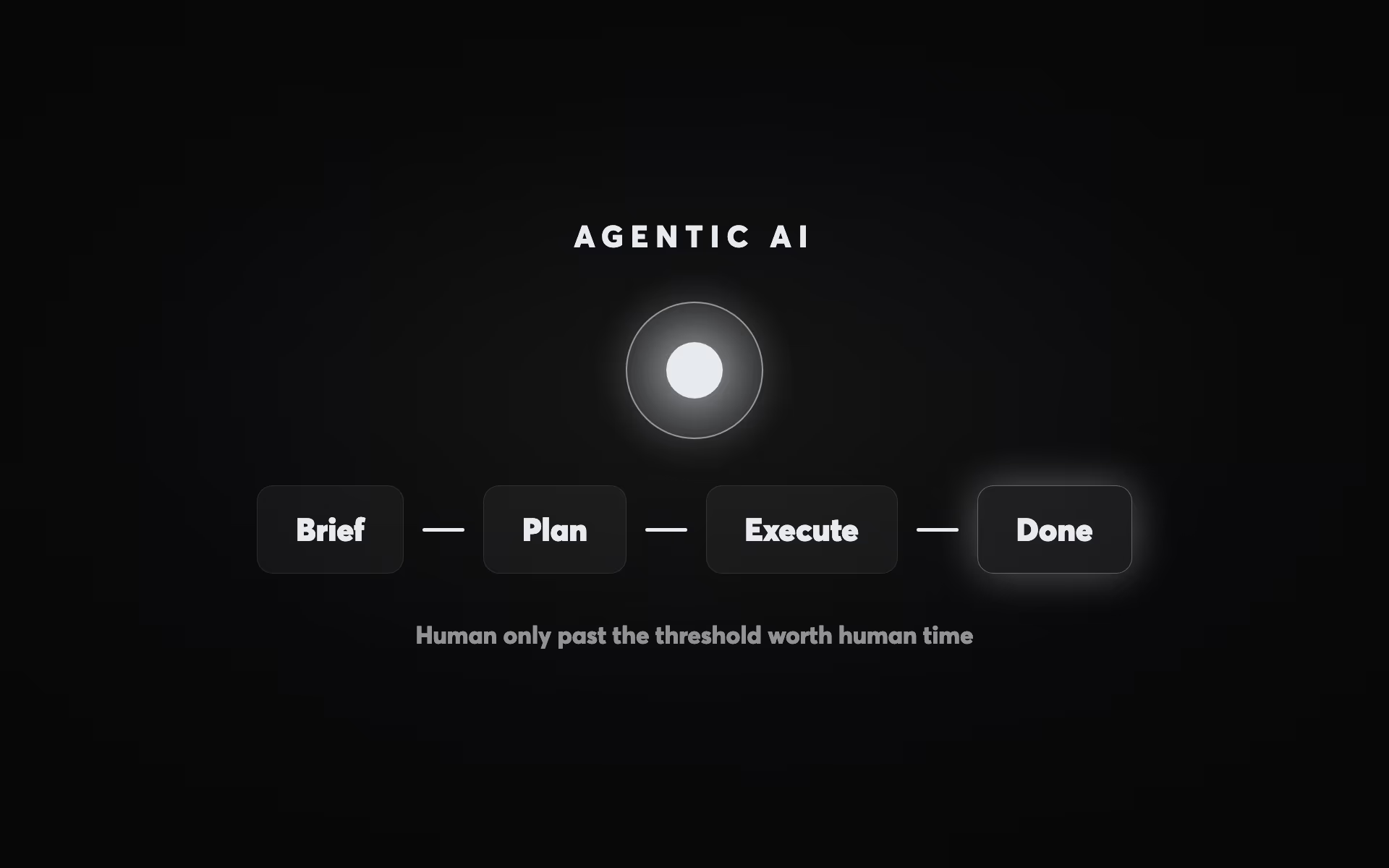
Agentic AI refers to systems that autonomously plan, decide, and execute multi-step tasks — not just respond to single prompts. Unlike chatbots or copilots, AI agents accept a goal (e.g. 'research these 50 companies and populate our CRM') and complete it end-to-end, including tool use, decision-making, and error correction. In 2026, businesses are deploying agents for lead research, report generation, content pipelines, and customer onboarding. According to Involve Digital's analysis, the highest-value agentic deployments reduce 8–12 hours of weekly knowledge-worker time per agent — among the most ROI-positive AI investments available to SMBs. — Involve Digital, AI strategy specialists
Agentic AI for Business: What AI Agents Mean for Your Workflows in 2026
A chatbot answers your question. An AI agent gets the job done. This is the simplest way to explain the shift happening in business AI in 2026, and it matters enormously for how organisations should think about their AI investments going forward. 84% of enterprises plan to increase AI agent investments in 2026. The global agentic AI market is growing at a 43.84% compound annual growth rate, from $5.25 billion in 2024 to a projected $199 billion by 2034. Gartner forecasts that 40% of enterprise applications will embed task-specific AI agents by 2026, up from less than 5% in 2025.
The term "agentic AI" has accumulated a lot of hype and some legitimate confusion. This guide cuts through both. It explains what makes an AI system genuinely agentic, how agents differ from the chatbots and copilots most businesses have already encountered, where the real business value lies by department, and how to think about implementation sequencing and the human oversight guardrails that prevent autonomous systems from creating autonomous problems. The goal is not to evangelise AI agents — it is to help business leaders understand where this technology genuinely adds value and where it does not yet belong. For the broader AI implementation context, see our complete AI implementation guide.
What Makes an AI System "Agentic"?
The word "agentic" describes a quality, not a product category. A system is agentic to the degree that it can plan toward a goal, decide between options, and act autonomously — using tools, accessing systems, and executing sequences of steps without requiring a human to direct each one.
The spectrum from non-agentic to fully agentic AI breaks down as follows. At the non-agentic end sits a basic chatbot: it waits to be asked a question, generates a text response based on its training data, and that is the end of its action. It has no memory of previous conversations (unless explicitly provided), it cannot take action in other systems, and it cannot initiate anything without a human prompt. At the agentic end sits a fully autonomous agent: it monitors for a trigger condition, plans a multi-step response, queries multiple data sources, executes actions across different systems, and reports results — all without human intervention at each step.
Between these poles sit three increasingly capable categories. AI copilots (like Microsoft Copilot or GitHub Copilot) assist humans in completing tasks — they generate suggestions, drafts, or recommendations, but a human makes each decision and takes each action. Task agents complete specific, bounded tasks with defined inputs and outputs — running a report, enriching a database record, drafting a document from a template. They do one thing autonomously, but they do not chain multiple tasks together. Multi-step agents — the full agentic category — plan and execute sequences of tasks, adapting to intermediate outputs, using multiple tools, and pursuing a goal across time, potentially without any human touchpoints between the initial instruction and the final output.
Four technical capabilities define a genuinely agentic system: memory (retaining context across interactions and tasks), tool use (accessing external systems, APIs, and databases to take action in the world), planning (breaking a goal into sub-tasks and sequencing them appropriately), and action (executing outputs that have real-world effects — sending emails, updating records, making bookings, triggering workflows). An AI that has all four capabilities and can apply them toward business goals is a genuine AI agent. An AI that generates text but cannot act on the world is not agentic, regardless of how it is marketed.
Where Agentic AI Adds Real Business Value: Department by Department
The most useful way to understand agentic AI for business is through concrete examples by department. The abstract definition matters less than the specific workflows where agent automation creates measurable value. The following examples are drawn from live deployments in 2025–2026, not theoretical use cases.
Sales: From Lead to CRM Without Human Touch
The sales agent use case is the most commercially advanced in 2026. A typical agent workflow: a new lead fills in a contact form. The agent enriches the record with company data (industry, headcount, tech stack, recent news) from multiple sources. It scores the lead against the ideal customer profile. It drafts a personalised outreach email referencing the company's specific context. It logs the contact in the CRM with enrichment data attached. It schedules a follow-up task for the relevant sales rep. It sends the email at the optimal time. All of this happens before a human opens their inbox.
B2B companies deploying sales agents for lead qualification and outreach are seeing 5x improvements in conversion rates by personalising engagement at a scale impossible for human teams. Agentic AI-powered revenue engines report 35% increases in ROMI within six months, 22% reduction in cost per acquisition, and 40% faster recognition of high-performing initiatives. These results reflect the compounding effect of speed (contacted faster), personalisation (relevant context from enrichment), and consistency (every lead gets the same quality of process — no falling through cracks).
The balance point in sales agents is clear: agents handle the research, enrichment, scoring, initial outreach, and CRM administration. Humans handle discovery calls, demos, complex objection handling, and relationship management. This division maximises both AI efficiency and the human relationship quality that closes deals. For the full sales automation picture, see our AI sales automation guide.
Marketing: Campaign Execution and Competitive Intelligence
Marketing agents are operating in several distinct categories in 2026. Content research and briefing agents monitor competitor content, identify trending topics in a target audience's conversations, research source material, and generate structured content briefs — reducing content strategy research from a day of manual work to a 15-minute review of agent output. Campaign monitoring agents track ad performance across Google, Meta, and other channels, flag anomalies against defined thresholds, and in some implementations, adjust bids or budgets within defined guardrails.
Competitive intelligence agents are among the highest-value marketing applications. An agent configured to monitor specific competitors can: check their website for pricing changes daily, track their job postings for strategic signals, monitor mentions of their brand on social and review platforms, analyse their ad copy via advertising intelligence tools, and deliver a weekly briefing — all without a human researching any of it. What would take a marketing analyst several hours per week is reduced to a 10-minute review of a structured AI-generated report.
The important governance consideration for marketing agents is brand safety and approval workflows. Agents that can publish content autonomously represent a different risk profile from agents that draft for human approval. The best practice in 2026 is agents that generate and stage content, with human approval required before publication — the agent eliminates the creation work, the human maintains control over what goes live. This is the "human-on-the-loop" rather than "human-in-the-loop" model: the human sets parameters and reviews exceptions, but the agent runs continuously within those parameters. For more on AI tools in marketing, see our AI tools for marketing teams guide.
Operations: Monitoring, Escalation, and Reporting
Operations is where agentic AI shows some of its most concrete ROI in 2026, because operational workflows are typically well-documented, rule-based, and high-volume — exactly the conditions where agents thrive. JPMorgan Chase saved 360,000 hours of manual work annually through AI automation of operational workflows. Coupa, a procurement software company, documented 276% ROI from AI agent implementations across their operations.
The operational agent archetypes that are most deployed in SMB and mid-market contexts in 2026:
Reporting agents compile data from multiple systems on a defined schedule — daily sales summaries, weekly pipeline reports, monthly performance dashboards — without anyone pulling the data or formatting the output. A company with 50 knowledge workers saved 200–300 working hours per quarter by automating internal reporting with AI assistants. Exception monitoring agents continuously watch for defined anomaly conditions — a deal stuck in a pipeline stage for too long, an invoice overdue past a threshold, a customer support ticket without a response for more than four hours — and either escalate to a human or take a defined action. Data reconciliation agents compare records across systems and flag discrepancies for human review, replacing manual reconciliation work that is both time-consuming and error-prone.
The ROI on operational agents is particularly measurable because the time savings are concrete and the error rate improvements are trackable. AI agents achieve 90%+ accuracy rates in tasks like document processing, data extraction, and compliance validation — substantially higher than manual work and rule-based automation that breaks when inputs vary. For a broader view of workflow automation, see our AI workflow automation guide.
Customer Service: The Graduated Autonomy Model
Customer service is simultaneously the most mature AI deployment area and the most nuanced in terms of autonomy design. 30–35% of mid-to-large enterprises already use AI agents for first-line support, with 50–65% of inquiries handled without human intervention in these deployments. The efficiency case is clear — a financial services provider automated 55% of inbound inquiries and improved response speed by 48%.
The customer service agent model that works best in practice uses graduated autonomy based on issue complexity and risk. Tier 1 (fully autonomous): simple informational queries — order status, business hours, product information, tracking updates, account balance checks. These are handled entirely by the agent with no human involvement. Tier 2 (agent-assisted, human-confirmed): moderate-complexity issues — returns and refunds within policy, account changes, basic troubleshooting. The agent drafts the response and recommends an action; a human approves before execution. Tier 3 (agent-prepared, human-executed): complex or sensitive issues — complaints, escalations, exceptions outside policy, anything with legal or reputational dimensions. The agent gathers context, summarises the issue, and routes to the appropriate human with a complete briefing — but the human handles the resolution.
This tier model addresses the core tension in AI customer service: 72% of consumers are open to using AI chatbots, but only if there is a way to escalate complex issues to a human agent. The escalation pathway is not a failure mode — it is a feature that makes the autonomous tier trustworthy. When customers know that complex issues will reach a human, their tolerance for AI-handled simple issues increases significantly.
The Architecture of Agentic AI: How Agents Actually Work
Understanding the architecture of AI agents helps business leaders make more informed decisions about what is feasible, what requires which investments, and why agents fail when they do. The complexity of agentic systems is frequently understated in vendor marketing.
A production-grade AI agent has four architectural layers. The planning layer is the agent's reasoning engine — typically a large language model (like GPT-4o, Claude 3.5 Sonnet, or Gemini) that receives a goal and decomposes it into a sequence of sub-tasks. This layer determines the plan: "To research this prospect, I need to: look up the company website, check their LinkedIn, search for recent news, find their tech stack, and then generate a summary." The quality of the planning layer determines how reliably the agent pursues complex goals.
The memory layer gives the agent context. Working memory (within a single session) allows the agent to use the output of one step as input for the next. Long-term memory (stored in a database and retrieved by relevance) allows the agent to remember information from previous tasks — prior customer interactions, previous research on a company, established patterns in the business it serves. Without long-term memory, every agent session starts from scratch, which limits usefulness for workflows that build on context over time.
The tool layer is where the agent connects to the world. Tools are integrations to external systems — search engines, web browsers, CRM APIs, email platforms, databases, code execution environments, file systems, and more. An agent's capability is directly proportional to the quality and breadth of its tool integrations. A well-integrated agent can read from and write to your CRM, send emails, query product databases, check calendar availability, and access real-time data — all in the service of completing a single goal.
The action layer is the output — the things the agent actually does in the world. This is where business leaders need to think carefully about scope and risk. An action that creates a CRM record has a very different risk profile from an action that sends an email to a customer or approves a financial transaction. Agent action scope should be defined deliberately, not by default. The principle is minimum necessary scope: give the agent access to the systems and actions it needs for its assigned workflow, and no more.
Multi-Agent Systems: When One Agent Is Not Enough
The most sophisticated agentic AI deployments in 2026 use multi-agent architectures — networks of specialised agents that collaborate to complete complex workflows. A lead qualification workflow might use a research agent (gathers company and contact data), a scoring agent (evaluates the lead against ICP criteria), a writing agent (drafts personalised outreach), and an orchestration agent (coordinates the sequence, handles exceptions, and routes the final output to the appropriate human or system).
Multi-agent systems are particularly powerful for parallelisation: tasks that would be sequential for a single agent can be executed simultaneously by multiple agents. A competitive intelligence brief might require monitoring five different competitor websites, analysing three social media channels, and summarising recent press coverage — tasks that could be distributed across five agents working in parallel, reducing completion time from 15 minutes to 3.
The governance challenge for multi-agent systems is observability: when multiple agents are taking actions in parallel across multiple systems, tracing the sequence of decisions that led to a particular output becomes complex. Production-grade multi-agent systems require comprehensive logging (every action taken by every agent, with timestamps and inputs), clear escalation paths (defined conditions under which any agent halts execution and flags for human review), and audit trails that allow post-hoc analysis of why a particular outcome occurred. This is not just good practice — it is the foundation for building organisational trust in agentic systems.
| Use Case | Result | Detail |
|---|
Human-in-the-Loop vs Human-on-the-Loop: Designing Appropriate Oversight
The most important governance decision in agentic AI design is where to place human oversight. Two models have emerged as the standards.
Human-in-the-loop (HITL): The agent pauses at a defined checkpoint and requires explicit human approval before proceeding. Every significant action requires sign-off. This model is appropriate when error risk is high, when actions are difficult to reverse, or when the agent is newly deployed and its accuracy is not yet established. The trade-off: this model eliminates much of the time savings from agentic automation, since humans are still in the critical path.
Human-on-the-loop (HOTL): The agent operates autonomously within defined parameters, and humans monitor outputs and exceptions. The human reviews a summary of agent activity, investigates flagged exceptions, and adjusts the agent's parameters when needed — but is not required to approve each action. This model maximises efficiency and is appropriate when the agent's accuracy is well-established, when actions are reversible, and when the volume of work makes per-action approval impractical.
The progression from HITL to HOTL should be earned, not assumed. The right approach is to start with HITL for every new agent deployment — requiring human approval for all significant actions. Track the agent's decisions over time. When the agent's error rate on a specific action type falls below a defined threshold (commonly 5% or less), that action type can graduate to HOTL. This progressive autonomy model builds organisational trust in agents through demonstrated performance rather than assumed capability.
Common guardrail mechanisms in 2026 agent deployments: rate limits (the agent can send at most N emails per hour, preventing a bug from sending thousands of messages), action whitelists (the agent can only take actions from a defined list), confidence thresholds (if the agent's confidence in a decision falls below a threshold, it escalates rather than acting), and reversibility requirements (actions that cannot be undone require human confirmation). These are not obstacles to agent capability — they are the engineering that makes it safe to give agents real power.
When NOT to Use Agentic AI
The enthusiasm for AI agents in 2026 is generating its own failure mode: organisations deploying agents for workflows where simpler tools would work better, or where agent autonomy creates more problems than it solves. The honest guide to agentic AI has to include where it does not fit.
Workflows requiring deep contextual judgment about unique situations are not suited to full agent autonomy. A customer complaint involving multiple failed deliveries, a long account history, and an emotional tone requires a human who can read the full context and respond with appropriate empathy and authority. An agent can triage, gather information, and prepare a briefing — but the resolution should involve a human.
Workflows where the data is not yet ready are not suited to agents, regardless of workflow complexity. An agent that enriches CRM records but cannot access clean data will create worse records faster. An agent that routes leads based on a scoring model trained on dirty data will route incorrectly at scale. Building an agent on an unprepared data foundation compounds existing problems rather than solving them. For the data readiness prerequisites, see our guide to building an AI-ready business.
Novel, creative, or strategic work does not benefit from agent autonomy. Strategy, creative direction, relationship management, and complex negotiations require human judgment that AI cannot reliably replicate in 2026. The value of AI in these contexts is as a copilot — AI that assists, accelerates, and augments human capability — not as an autonomous agent that operates independently. The businesses that position AI correctly — as an amplifier of human judgment in complex domains, and as an autonomous executor in rule-based domains — are the ones achieving the highest compound returns on their AI investments.
Getting Started: The First AI Agent to Build
For businesses that have the data foundation in place (see our guide to AI readiness) and want to build their first production AI agent, the right starting point is a workflow that is high-frequency, well-documented, low-risk if it makes errors, and currently taking significant human time. The goal of the first agent is not maximum complexity — it is maximum confidence, building organisational trust in agentic systems through a clear win.
Strong first-agent candidates for most SMBs: lead enrichment agent (automatically enriches new CRM contacts with company data, job title, and LinkedIn profile — turning a 10-minute manual task into a zero-minute automated one); reporting agent (compiles weekly sales or marketing performance data from connected systems into a structured report, sent to relevant stakeholders every Monday morning); customer onboarding sequence agent (triggers a personalised onboarding workflow for new customers — sending welcome materials, scheduling check-in calls, and logging completion to CRM); content research agent (researches topics for content creation by gathering relevant statistics, competitor coverage, and source material into a structured brief).
The 25% of generative AI users who launched agentic pilots in 2026 — with another 25% expected to follow by 2027 — are primarily starting with these contained, high-value, manageable first deployments. The value of starting now is compounding: each agent deployed builds infrastructure (integrations, data quality, organisational confidence) that makes the next agent faster and more capable. For the strategic context around AI workflow automation, see our AI workflow automation guide, and for the full implementation framework, see our complete AI implementation guide.
Ready to identify your highest-value agentic AI opportunities? Involve Digital's AI Implementation Discovery session analyses your current workflows, maps the processes best suited to agent automation, and designs a pilot architecture that gets you to your first production agent safely and efficiently. Get your free growth plan with Involve Digital.
Get Started Using The Form Below
Agentic AI represents the next layer of business automation — sitting above the AI workflow automation layer and below the full enterprise AI transformation. For the data foundation that makes agents work, see our guide to building an AI-ready business. For the sales-specific agent applications, see our AI sales automation guide. For the full strategic context, explore our complete AI implementation guide and our overview of AI tools for marketing teams.
Questions