InsightsMeasuring GEO performance
How to Measure GEO Success (What to Track Instead of Rankings)
What to track for GEO, where the data now comes from, and how to report it.
25 February 2026Updated 28 September 202614 min readEdited by Michael Wilkins
Direct answer
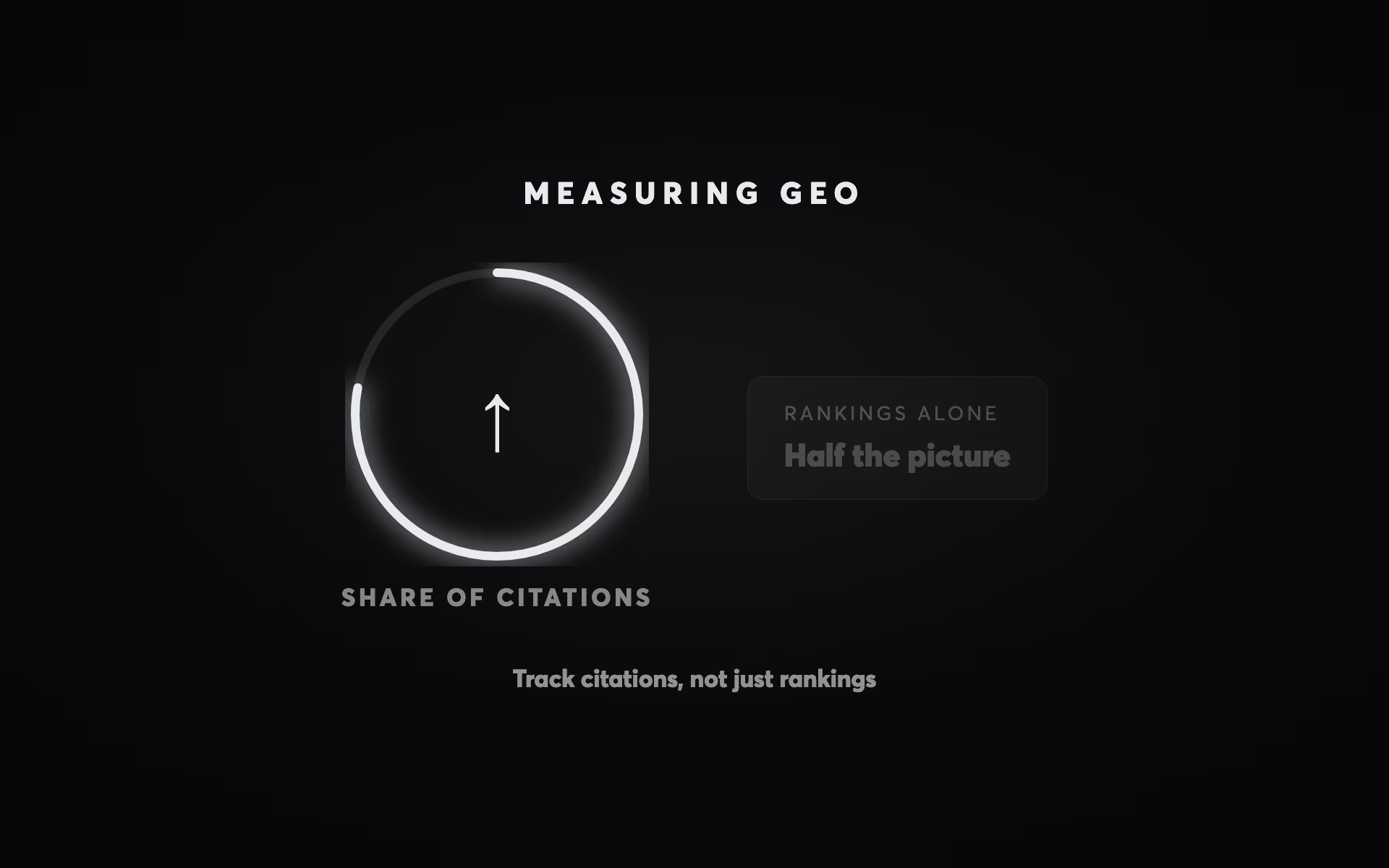
Measure GEO in three layers. Visibility: whether AI answers name or cite you, from Search Console (which counts AI Overview and AI Mode appearances in its Performance report and, since June 2026, breaks them out in a Generative AI report), Bing Webmaster Tools' AI Performance report for Copilot, and a fixed set of buyer questions checked monthly in assistants such as ChatGPT and Perplexity. Traffic: visits from AI assistants, tracked in a GA4 custom channel group. Commercial: enquiries, qualified opportunities and closed deals by source in your CRM, including a “how did you hear about us?” field. Rankings and sessions on their own miss most of this.
Measuring GEO with traditional SEO metrics is like measuring a referral programme by counting footfall. The numbers are real, but they miss most of what's happening. Rankings, sessions and impressions tell you whether your pages are visible in search results. They don't tell you whether AI answers name your business, or whether those mentions turn into work.
Teams often give up on GEO too early because their dashboards show the wrong things: traffic stays flat while the effects that matter, in the answers and in the enquiry pipeline, go unmeasured. This article sets out what to track, where the data now comes from, and how to report it. For the strategy behind it, see our SEO strategy guide; for what GEO work involves, see our GEO service.
Why traffic and rankings undercount GEO
Traditional SEO reporting assumes value arrives as a click, and AI answers break that assumption. When the Pew Research Center analysed the March 2025 Google searches of 900 US adults, people clicked a traditional result on 8% of visits to a results page with an AI summary, against 15% without one, and clicked a link inside the summary on 1%. A buyer who reads an AI answer that names your business has been influenced whether or not they click.
The same happens outside Google. A buyer who asks ChatGPT or Perplexity who to hire and gets your name may never click through from that answer. They may search for you by name a week later, or simply ring. Traffic reports will credit that to branded search or direct traffic, or miss it entirely.
That doesn't make traffic metrics useless. It makes them incomplete: GEO also needs measures of visibility inside the answers, and of what happens commercially afterwards.
The metrics that matter
Four measures capture most of what GEO does, and none of them needs expensive software to start.
1. AI citation frequency
How often AI answers name your business or cite your pages for the questions in your category. It's the most direct measure of GEO, and the one that moves first. The data comes from Search Console and Bing Webmaster Tools for Google's and Microsoft's AI features, and from a monthly audit of a fixed set of prompts for the rest (set-up below).
Track which pages are cited as well as how often. AI answers that cite your articles but never your service pages tell you something different from the reverse.
2. Assisted conversions
Enquiries where an AI-influenced touchpoint appeared anywhere in the journey, not only at the end. A buyer might meet your name in an AI answer, look at your site a week later and then ring you; last-click reporting gives all the credit to the final step. In GA4, the Attribution paths report (Advertising → Attribution) shows which channels appear before key events. Your CRM's “how did you hear about us?” answers show the rest.
3. Close rate by source
Not all enquiries are equal. Comparing how many AI-referred enquiries become qualified opportunities and closed deals with the same figures for search, paid, referral and direct tells you whether the channel brings the right buyers. This lives in your CRM, not in GA4.
4. Sales velocity
How long an enquiry takes to go from first contact to a signed deal, by source. In B2B and other high-consideration services, a shorter cycle can be worth as much as a higher close rate. Measure it rather than assume it: the published evidence on how AI-referred buyers behave is mixed, as the section on conversion below shows.
What to stop reporting, and what to read differently
Some familiar metrics mislead when they're used to judge GEO.
Sessions as the headline. More sessions doesn't mean more influence. GEO work can grow enquiries while sessions stay flat, and a traffic target pushes teams towards volume rather than the specific, citable pages GEO needs.
Bounce rate, misread. In GA4, bounce rate is simply the share of sessions that weren't engaged, and a session counts as engaged if it lasts longer than 10 seconds, includes a key event, or has two or more page views. So a visitor who arrives from an AI answer, reads your service page for a minute and then phones you is an engaged session, not a bounce. What GA4 won't see is the phone call, unless you track calls. Use engagement rate as a sense check on landing pages, not as a GEO outcome.
Average position. It blends every query into one number. For GEO, look per query: does an AI Overview appear, and are you cited in it? Google's AI features also search related queries behind the scenes (Google calls this query fan-out), so a page can be cited in an answer for a search it doesn't rank well for, and a page ranking first can be left out.
Impressions, but split. Don't drop impressions; read them properly. A link to your site shown in an AI Overview or in AI Mode counts as an impression in Search Console, under the usual rules, and a click on it counts as a click. Every link in an AI Overview shares the Overview's position (Search Console Help). The Generative AI report separates these impressions out by page. What Search Console can't show you is ChatGPT, Perplexity or Claude; for those you need the prompt audit.
Time on page. GA4 reports average engagement time rather than time on page, and for a page built to answer a question quickly, a shorter visit can mean it worked. Judge pages by what visitors do next, not by how long they stay.
How to set it up
None of this needs enterprise software. Five set-ups cover most of it.
1. Search Console: Google's AI Overviews and AI Mode
- Open Performance → Search results. Impressions and clicks from AI Overviews and AI Mode are already included in the Web totals.
- Open the Generative AI report. It shows how often your pages appeared in AI Overviews and AI Mode, by page, country, device and date. It launched in June 2026 and has been available to all sites since 31 August 2026. It shows impressions only, with no clicks and no queries, and sites with very few impressions may not see data. If you sell only in Australia or New Zealand, look at those countries.
- Use the branded queries filter in the Performance report to split branded from non-branded searches. It's available to eligible top-level properties with enough data (Google, updated March 2026). Rising branded searches are one of the few visible signs that people are meeting your name elsewhere, including in AI answers.
- Check Settings → Search generative AI. Including your site is the default; if someone has switched it off, your pages can't appear in AI Overviews or AI Mode at all (Search Console Help).
2. Bing Webmaster Tools: Copilot citations
Bing Webmaster Tools launched an AI Performance report in public preview in February 2026. It shows how often your pages are cited in Microsoft Copilot, in Bing's AI-generated summaries and in some partner integrations: total citations, the pages cited, and a sample of the “grounding queries” the AI used to find your content. Like Google's report, it has no click data. If your site isn't verified in Bing Webmaster Tools yet, you can import it from Search Console.
3. A GA4 channel for AI assistants
By default, visits from ChatGPT, Perplexity and similar assistants land in GA4's Referral channel, alongside every other site that links to you. A custom channel group gives them a channel of their own. Google's help centre documents this set-up:
- In Admin, under Data display, open Channel groups and create a new channel group, or copy the default group so all your existing channels come with it.
- Add a channel called AI assistants, with the condition Source matches regex:
.*(chatgpt|openai|perplexity|claude|gemini|copilot).*
GA4 treats a regex as a full match and is case-sensitive, which is why the pattern starts and ends with.*and is in lower case. - Reorder the channels so AI assistants sits above Referral. GA4 puts each session in the first channel whose rule it matches, so if Referral comes first it takes these visits.
- Save, then open Reports → Acquisition → Traffic acquisition and switch the primary dimension to your new channel group. Custom channel groups also apply to past data.
A standard GA4 property can have two custom channel groups on top of the default one. After a month, look at which sources the new channel has caught, and tighten the pattern if anything unrelated has slipped in or an assistant you care about is missing.
Two limits to know. Clicks from Google's AI Overviews and AI Mode arrive from Google, so GA4 can't tell them apart from other Google organic clicks; Search Console is the only place to see them separately. And some assistant apps pass no referrer, so their visits arrive as Direct, which GA4's attribution models don't credit unless the whole path to the key event was direct (Google Analytics Help). Both are reasons the CRM question below matters.
4. A monthly prompt-set citation audit
Search Console and Bing don't cover ChatGPT, Perplexity or Claude, so check them yourself, the same way every month.
- Write 20 to 30 prompts a buyer would actually type: problem questions (“how do I…”), category questions (“best [service] for [situation] in Melbourne”), comparisons, and your business name with “reviews” or “vs”. Include the places you serve; answers change with location.
- Run them in the same places each month: Google (noting whether an AI Overview appears), AI Mode, ChatGPT, Perplexity, Copilot and Gemini. Use a logged-out or fresh session where you can, so your own history doesn't colour the answers.
- Log the same fields every time, in a simple spreadsheet with the columns below.
- Report the share, not single answers. “Named in 9 of 25 prompts, cited in 6” (for example) is a trend you can track; one screenshot isn't. AI answers vary from run to run, so treat any single result as an anecdote.
| Column | What to record |
|---|---|
| Date | The day you ran the check |
| Platform | Google (and whether an AI Overview appeared), AI Mode, ChatGPT, Perplexity, Copilot or Gemini |
| Prompt | The exact wording, unchanged from month to month |
| Named? | Yes or no, and where in the answer |
| Cited page | The URL cited, or none |
| Competitors named | Who else the answer names |
Plenty of tools now automate this, and they're useful for scale. But Google warns that no third-party tool has access to its internal ranking or AI systems (Google Search Central), so treat their scores as samples, not truth.
5. A “How did you hear about us?” field in your CRM
Self-reported source catches what analytics can't: the buyer who saw you in ChatGPT, searched your name a week later, then rang.
- Add the question to every enquiry form and to the first call, and store the answer on both the contact and the deal.
- Make it a dropdown with an AI option, for example: Google search; an AI assistant (ChatGPT, Gemini, Copilot, Perplexity and so on); a referral from someone; LinkedIn; an ad; other. Add a short free-text box: “Which one?”
- Keep the tracked source (from GA4 or your form's UTM capture) and the self-reported source as separate fields. Comparing the two is how you find the influence analytics misses.
- Each quarter, report enquiries, qualified opportunities, wins and days to close by source.
Every mainstream CRM supports a custom dropdown field for this. If you're choosing one, our comparison of HubSpot, Salesforce and Pipedrive covers the options.
Worked example: tracking BCS Broking's AI visibility
BCS Broking places commercial insurance and surety bond facilities for Australian construction and mining companies. Its rebuilt site, with a page for each insurance vertical and surety bond type and an insights programme alongside, launched on 29 April 2026. Three months later, on 27 July, two of its money searches were spot-checked (case study). Logged in the format above, the check looks like this:
| Search | Organic | Google AI Overview |
|---|---|---|
| surety bonds broker australia construction mining | 1st | Named BCS Broking first among the brokers it cited, with two BCS insights articles among its sources |
| mining and resources insurance broker australia | 4th | Named BCS among “prominent firms including Aon, Coverforce, and BCS Broking” |
What this shows, and what it doesn't:
- It shows visibility, credited to specific work. The rebuild gave each insurance vertical and bond type its own page, and the AI Overview's sources included two of BCS's insights articles: the content programme is what earned the citations.
- It's a spot check. Two searches on one day, and AI answers can differ from one check to the next. The next step in that engagement is rank tracking across the full keyword set, so movement shows per query.
- It isn't a conversion figure. Visibility isn't revenue. In the rebuilt site's first month BCS received ten enquiries, and most were below the minimum deal size it can take, so the next job was qualification rather than volume. That's exactly what the commercial layer of this framework is for.
Do AI-referred visitors convert better?
It's often claimed that visitors from AI assistants convert better because the AI has already done the persuading. The published evidence is mixed:
- Ahrefs reported in June 2025 that on its own site, over 30 days, AI search sent 0.5% of visits but 12.1% of sign-ups, and that AI search visitors converted about 23 times better than traditional organic search visitors. That's one B2B software company, measuring sign-ups.
- A study of 973 e-commerce sites over 12 months, published in Marketing Science in April 2026, found that ChatGPT referrals had conversion rates and revenue per session above paid social but below every other traditional channel.
Part of the difference is the businesses: a software sign-up and an online purchase are very different decisions. Part is measurement: AI visits are a small share of traffic, so a handful of conversions swings the rate, and visits that arrive without a referrer are counted as direct and credited elsewhere. Don't assume a lift, and don't assume a penalty. Measure your own:
- In GA4, compare the AI assistants channel with Organic Search on engagement rate, key events and session key event rate over the same period, and report the counts beside the rates.
- In your CRM, compare enquiries whose tracked or self-reported source is an AI assistant with other sources on qualification rate, close rate and days to close.
- Wait for enough volume. With a few enquiries a month, one deal either way changes the rate dramatically. Look at a rolling quarter or longer before drawing conclusions.
What affects how quickly GEO shows results
There's no standard timeline, and it's worth being wary of anyone who promises one. What moves the timing:
- Whether the pages exist. If your site has no page that answers a question, nothing will cite you for it. Building those pages is usually the first job, and the slowest.
- Whether they're indexed. A new page has to be crawled and indexed before Google's AI features can use it, and assistants' crawlers have to reach it before they can cite it.
- How contested the answers are. Specialist questions with few good sources tend to move faster than broad questions where large publishers already dominate the citations.
- What others say about you. Where answers lean on reviews, directories and industry coverage, expect slower movement, because that coverage takes time to build.
- Your sales cycle. Visibility can move within weeks of the right pages being indexed. Commercial measures need enough enquiries and closed deals to compare, which for a long B2B cycle can take quarters.
For one dated reference point: BCS Broking's rebuilt site launched on 29 April 2026, and by 27 July Google's AI Overview was naming it for both money searches checked. That's one specialist broker, not a promise. Review visibility monthly and commercial results quarterly, and agree that rhythm with leadership before you start.
A one-page report for leadership
Leadership doesn't need citation counts; it needs to know whether the work is producing better business. One page, monthly, in the same order every time:
- The headline. One sentence on what changed and why.
- Visibility. The prompt audit (named in X of N prompts and cited in Y, against last month and three months ago), plus the trend in Search Console's Generative AI impressions and Bing's AI citations.
- Traffic. AI-assistant sessions and key events from GA4, and organic clicks split into branded and non-branded.
- Pipeline. Enquiries by source, tracked and self-reported, with how many were qualified and won, and days to close. Show the counts, not just percentages.
- What we did and what's next. The pages published or fixed, and next month's priorities.
Translate the terms as you go. AI visibility is “how often we're recommended when buyers ask AI tools about our category”; assisted conversions are “enquiries where AI played a part before the final click”; close rate by source is “which channels bring buyers who sign”. Frame GEO as part of the commercial programme, and let the pipeline numbers make the case, whichever way they point.
The cost of measuring it wrong
When GEO goes unmeasured, or is measured with traffic alone, two things tend to happen. Teams optimise for what the dashboard shows, which pushes them towards volume rather than the specific pages that get cited. And leadership loses confidence because the numbers in front of them don't reflect what's happening, so the work gets cut before it has had time to show up in the pipeline.
The fix is to set up the measurement before the GEO work starts: agree what success means in commercial terms, set the review rhythm, and record a baseline for every metric above so there's something to compare against.
If you'd like help setting this up, talk to us.
Questions